


Perfect Viewer PDF&DJVU Plugin
4.0196.00 Reviews
App Specs
- Version
- 1.7.4.1
- Updated On
- License
- Free
- Downloads
- 1,000,000+
- Developer
- Rookie001
- Categories
- Comics
- Platform
- Android
Screenshots
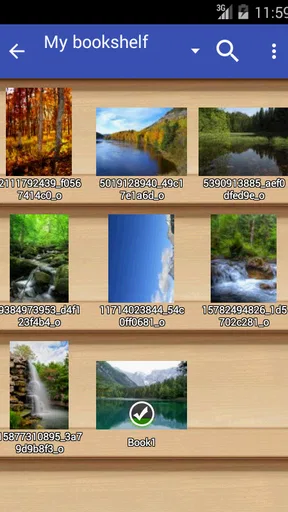
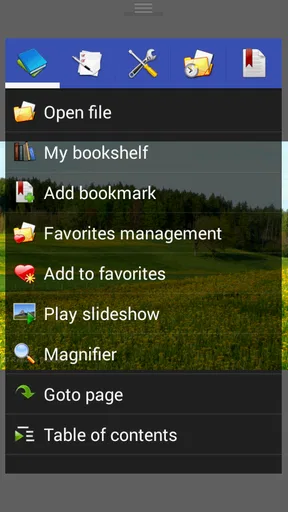
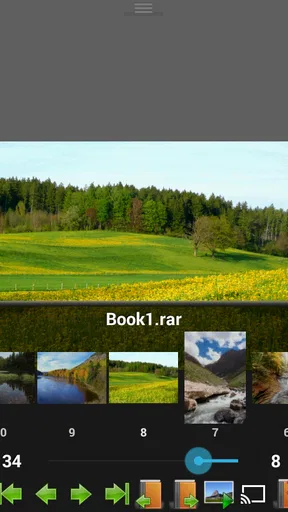
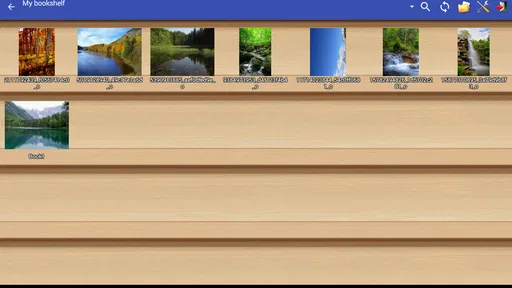
 Analysis by AppCompare
I judge a reading plugin by a simple question: does it let me open the files I already have without making me change my whole reading routine? The Perfect Viewer PDF&DJVU Plugin is aimed at people who use Perfect Viewer and want it to handle two more document formats. It is not a standalone reader, so that dependency is the first thing to consider. If Perfect Viewer is already where you read comics, illustrated PDFs, or scanned material, this small add-on has a clear purpose.
Choosing a reader that fits your files
For an occasional PDF, the reader already built into a phone or a general-purpose document app may be enough. I would look at this plugin instead when my reading library is mixed: comics alongside PDFs, or scanned books and reference documents saved as DJVU. The useful distinction is not that one reader is universally better; it is whether I want to keep those files inside the same app I already use for visual reading.
That makes the plugin most relevant to existing Perfect Viewer users. It comes from Rookie001, is free, and has an Everyone age rating. Its 4.0 average from around 6,600 ratings and more than a million installs suggest that it has found an audience, though those figures cannot tell me whether it suits a particular file or device. The app dates back to September 2011, and its current version is 1.7.4.1, with Android 2.3 listed as the minimum OS. The practical point is that this is a focused compatibility add-on, not a new reading ecosystem to learn.
When one library is more useful than another app
Where this plugin can win is in a library that does not fit neatly into one format. Imagine I keep a comic collection in Perfect Viewer but also have a scanned manual or an older book in DJVU. Instead of switching to a separate PDF or archive reader for every exception, I can try opening those documents through the app I already know. That can make the reading routine simpler, especially when I move between illustrated pages and ordinary documents during the same day.
DJVU support is the detail that makes the add-on more distinctive than a PDF-only extension. People who work with scanned books, older documents, or collections they did not create may encounter that format and find that their usual phone reader does not cover it. If those files are a regular part of my reading, adding a compatible plugin is a more targeted solution than replacing my entire setup. If I never encounter DJVU, the format support matters less, and the decision comes down to whether I want PDFs in Perfect Viewer too.
What the plug-in approach asks of you
The trade-off is straightforward: this plugin depends on Perfect Viewer. Installing the add-on alone does not give me a general-purpose PDF app, and someone who wants one icon that works independently should choose a standalone reader instead. I would also start by checking that the main app is installed and that the files I care about are available to it. That small dependency is easy to overlook if I see the plugin in an app catalog and assume it is a complete reader.
There is also a difference between adding a format and gaining a full document-management system. This add-on is for reading PDF and DJVU through Perfect Viewer; it should not be mistaken for an editor, a note-taking tool, or a place to organize a research project. If I need to annotate pages, collaborate on a document, or manage work files with specialized tools, I would keep using an app designed for those tasks. For reading, keeping the experience within Perfect Viewer may be the stronger choice.
Worth Reading Before You Choose

Switching to Android Auto Means Rethinking Your Driving Routine

Google Calendar Makes a Crowded Week Easier to Manage

Baby Panda World Brings Quick Play to Modern Phones, but Its Game Library Feels Busy

ESPN’s Live Game View Makes Following Close Games Easier

QuizzLand Review: A Good Fit for Short Trivia Breaks, Not Every Player

Basketball Stars: Multiplayer Is Fast, but Can It Recover When Matches Go Wrong?
A practical way to decide before committing
I would test the plugin with one representative file from each format I expect to read, rather than judging it only with a short, clean document. For a comic-style PDF, check whether the page layout is comfortable at the screen size you use. For a scanned DJVU book, try a page with small print or detailed images. This is a useful check because a file’s layout and image quality can matter more to reading comfort than the fact that it opens at all.
If the document is long, I would also make a habit of setting a bookmark before leaving it. That gives me a reliable return point when I switch between reading sessions or formats. For pages that feel cramped, changing the device orientation can be worth trying before deciding the app is unsuitable; a wide page may be easier to inspect in landscape, while a tall page may feel more natural in portrait. These are small adjustments, but they help distinguish a format problem from a viewing preference.
Who should look elsewhere
I would skip this add-on if I do not use Perfect Viewer, if I only need to read an occasional PDF, or if my priority is editing and annotating documents. A built-in phone reader may be less effort for a handful of files, while a dedicated document app may be a better fit for office workflows. Those alternatives are not automatically better for comics or DJVU collections; they simply solve different problems.
I would also be cautious about treating broad file compatibility as a promise that every document will behave identically. A text-based PDF, a page made from scans, and a dense illustrated document can place different demands on any reader. The sensible approach is to try the files that matter most to me and keep another reader available if a particular document is awkward. The plugin is most compelling when it handles the formats I actually encounter and lets me stay with a familiar library.
Getting Started with the Plugin
First things first, you need to have the base app, Perfect Viewer, installed on your device. Once that's set, downloading the plugin is a breeze. Just head over to your app store, find the plugin, and install it. It integrates seamlessly with the main app, so you don’t have to worry about any complicated setup processes.
User Interface and Experience
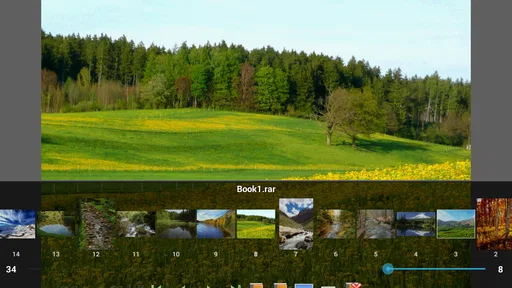
Once you’ve got everything installed, you’ll notice how smoothly the plugin runs. Just like the main app, the interface is sleek and intuitive, letting you jump right into reading without any fuss. The plugin doesn’t clutter your screen with unnecessary buttons or features; everything is where you expect it to be, which is perfect for those of us who appreciate a clean, straightforward design.
Navigation through PDFs and DJVU files is a breeze. You can easily zoom in and out, flip through pages, or jump to specific sections with swipes and taps. It feels like the plugin enhances the already smooth experience of Perfect Viewer, making it even more versatile.
Performance and Features
In terms of performance, the plugin is incredibly lightweight. I didn’t experience any lag or crashes, even with larger files. The rendering of pages is quick and crisp, which is crucial when you’re trying to enjoy high-quality images or detailed documents.
One feature I particularly appreciate is the support for DJVU files, which isn’t as common in many other apps. If you’re someone who deals with older documents or scanned books, this feature is a lifesaver. The plugin manages these files just as smoothly as PDFs, which is a huge plus in my book.
Customization and Flexibility
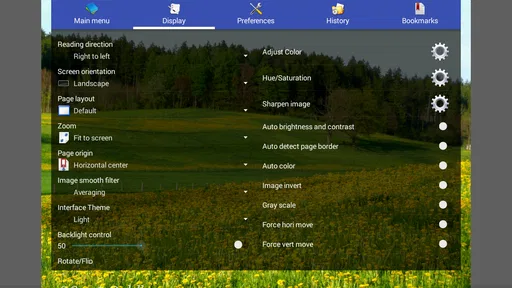
The level of customization in the plugin is another highlight. You can adjust the brightness, contrast, and color to suit your reading preferences. There’s also an option to change the orientation, which is perfect for switching between portrait and landscape modes depending on the document you’re reading.
Additionally, you can set bookmarks, making it easy to pick up right where you left off. This feature is particularly useful for longer documents or comics series you’re working through.
Compatibility and Integration
The plugin is designed to work smoothly with the main Perfect Viewer app, and it does so without a hitch. Whether you’re importing files from your device or cloud storage, the process is seamless. It recognizes a wide variety of file formats, ensuring that your reading experience is uninterrupted, no matter what type of file you throw at it.
Final Thoughts
Overall, the Perfect Viewer PDF&DJVU Plugin is a fantastic addition to the Perfect Viewer app. If you’re someone who enjoys reading digital comics, PDFs, or DJVU files, this plugin is a must-have. It’s lightweight, efficient, and incredibly user-friendly, making it a perfect companion for any digital reader.
So, if you haven’t already, go check it out! It’s definitely worth the download, and I bet you’ll love how it enhances your reading experience as much as I do.
Pros
- Enhances Perfect Viewer functionality.
- Supports multiple file formats.
- Smooth and fast performance.
- Easy installation and setup.
- No additional ads introduced.
Cons
- Requires Perfect Viewer installed.
- Limited to PDF and DJVU files.
- No editing capabilities.
- May crash with large files.
- Not standalone
- needs integration.
FAQs for Perfect Viewer PDF&DJVU Plugin
What is Perfect Viewer PDF&DJVU Plugin and how does it work?
Perfect Viewer PDF&DJVU Plugin is an extension for the Perfect Viewer app, enhancing its functionality by allowing it to read PDF and DJVU file formats. The plugin integrates seamlessly, ensuring users can view comics, eBooks, and documents in these formats without needing additional standalone applications.
Is Perfect Viewer PDF&DJVU Plugin free to use?
Yes, the Perfect Viewer PDF&DJVU Plugin is available for free. However, it requires the main Perfect Viewer app to function. Both the plugin and the main app can be downloaded without any cost, but there may be optional in-app purchases or donations available within the Perfect Viewer app.
How do I install Perfect Viewer PDF&DJVU Plugin on my device?
To install the Perfect Viewer PDF&DJVU Plugin, first ensure you have the Perfect Viewer app installed on your Android device. Then, download the plugin from the Google Play Store. Once installed, it automatically integrates with Perfect Viewer, allowing you to open PDF and DJVU files through the main app.
What file formats are supported by Perfect Viewer PDF&DJVU Plugin?
The Perfect Viewer PDF&DJVU Plugin specifically adds support for PDF and DJVU file formats. This expands the capabilities of the Perfect Viewer app, which already supports a variety of other comic and eBook formats, making it a versatile tool for reading a wide range of digital content.
Are there any limitations when using the Perfect Viewer PDF&DJVU Plugin?
While the Perfect Viewer PDF&DJVU Plugin is highly functional, it is important to note that it is designed specifically for Android devices, and iOS users may not be able to use this plugin. Additionally, performance may vary depending on the device's hardware capabilities, especially when handling large or complex PDF and DJVU files.


